
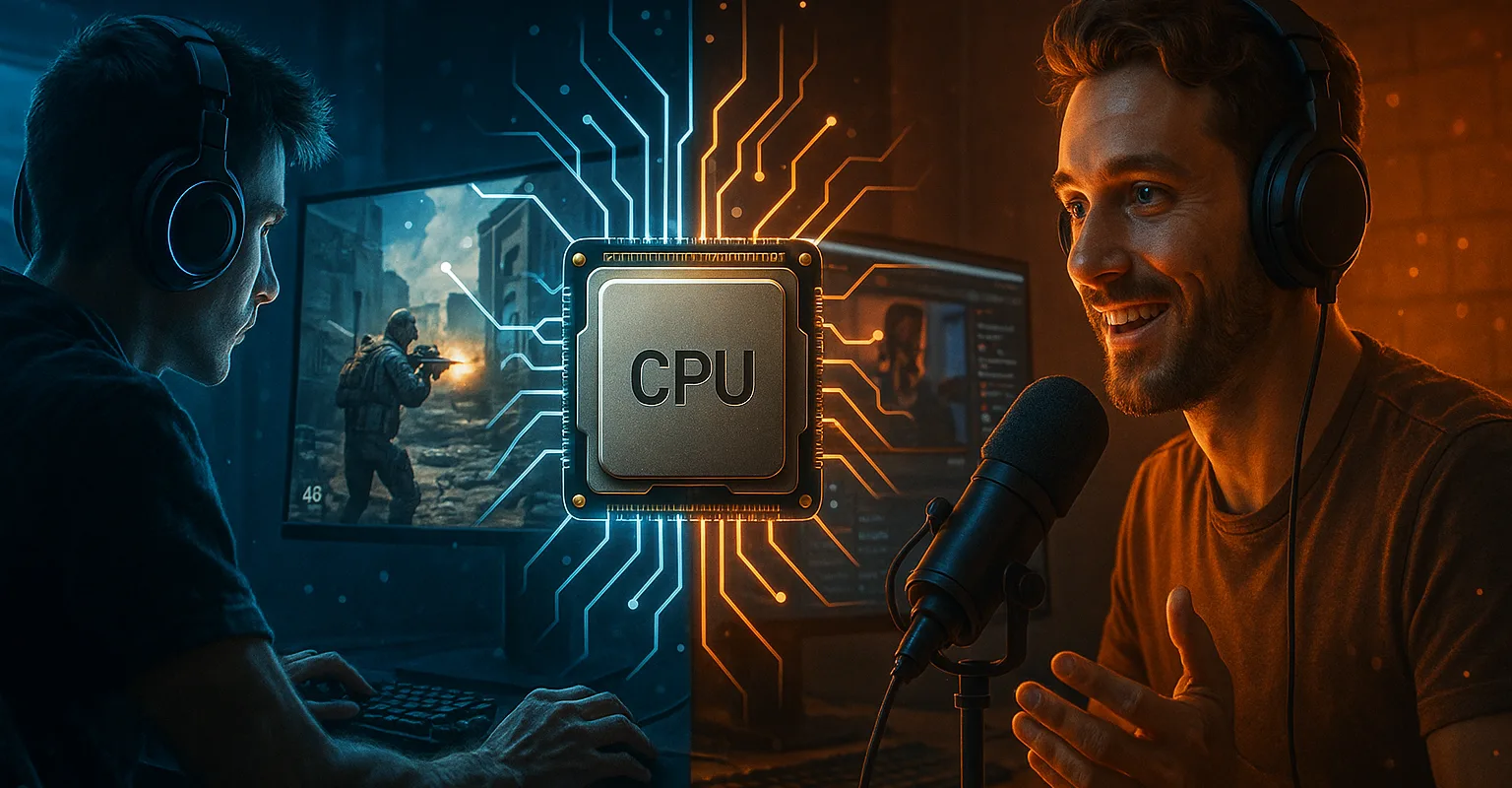
Welcome! If you’re searching for the best CPU for gaming and streaming but feel overwhelmed by technical jargon and conflicting advice, you’ve found the right guide. We know the struggle: you want silky-smooth gameplay and a professional-looking stream, but every article seems to focus on just one or the other. If you’re still learning the basics, start with our comprehensive guide on how to choose a processor for foundational knowledge. The truth is, gaming and streaming simultaneously is a unique challenge that demands a special kind of processor. This guide cuts through the noise. We’ve moved past generic specs to focus on what truly matters for streamers—real-world performance under the unique load of running a game, encoding video, and managing chat simultaneously. Let’s find the perfect brain for your broadcast.
The Gaming and Streaming Dilemma: Why Gaming CPUs Fail Streamers
So, you’ve seen the lists for the best gaming CPU and maybe even the best CPU for streaming. Here’s the hard truth: picking a winner from either of those lists could set you up for frustration. Why? Because a processor optimized purely for cranking out maximum FPS in Apex Legends isn’t necessarily built to handle the multitasking marathon of a live stream.
Think of it like this: a race car engine is incredible on a track, but try using it in a delivery van that also needs to power a refrigeration unit and a GPS—it might overheat or struggle. Similarly, when you’re streaming and gaming, your CPU isn’t just playing the game. It’s also acting as a broadcast engineer, encoding your video for Twitch or YouTube, processing your microphone audio, running chatbots, and managing stream alerts. A pure gaming processor might excel at the first job but buckle under the weight of the others, causing frame drops, stream lag, or a fuzzy, pixelated broadcast.
This is the core dilemma every streamer faces and the critical gap our guide addresses. We’re not just looking at which chip achieves the highest score in a synthetic benchmark; we’re identifying the workhorses that can reliably handle all the jobs simultaneously. Let’s break down what really changes when you hit “Go Live.”

Your Gaming and Streaming CPU Match: Find Your Streamer Persona
Not every streamer has the same needs. The perfect CPU for streaming your high-stakes Counter-Strike ranked matches is different from the ideal chip for a cozy, 8-hour Minecraft build-a-thon. To cut through the noise, let’s match you with a processor based on who you are as a creator. Ask yourself: which of these personas fits you best?
The Competitive FPS Streamer: Your priority is razor-sharp responsiveness and max frame rates. You need a CPU with blazing single-core performance and low latency. Encoding efficiency is key so that streaming doesn’t steal FPS from your game. You’re likely asking: “What’s the best CPU for gaming and streaming VALORANT without lag?”
The Variety Content Creator: You switch between story-driven games, indie darlings, and the latest AAA title. You need a strong all-rounder—a processor with great multi-core performance to handle different game engines and the multitasking load of entertaining a chat. Balance is your watchword.
The “Just Chatting” & IRL Streamer: Your focus is on crystal-clear camera quality, smooth overlays, and engaging directly with your community. You might not need the absolute highest game FPS, but you do need a CPU that runs cool, quiet, and efficiently during long streams. Power efficiency and thermal performance are your best friends.
The Aspiring Professional: You’re building a brand and treating streaming like a business. You need reliability, maximum core counts for the highest quality encodes, and a platform with a clear upgrade path. You’re investing for the long haul and need a CPU that won’t become a bottleneck as you grow.
By identifying your primary persona, the path to your perfect gaming and streaming CPU becomes much clearer. It moves us from a confusing list of specs to a solution built for your actual lifestyle.
Different streamer types have different CPU requirements – identify which one matches your style.
Gaming and Streaming CPU Specs Decoded: What Actually Matters
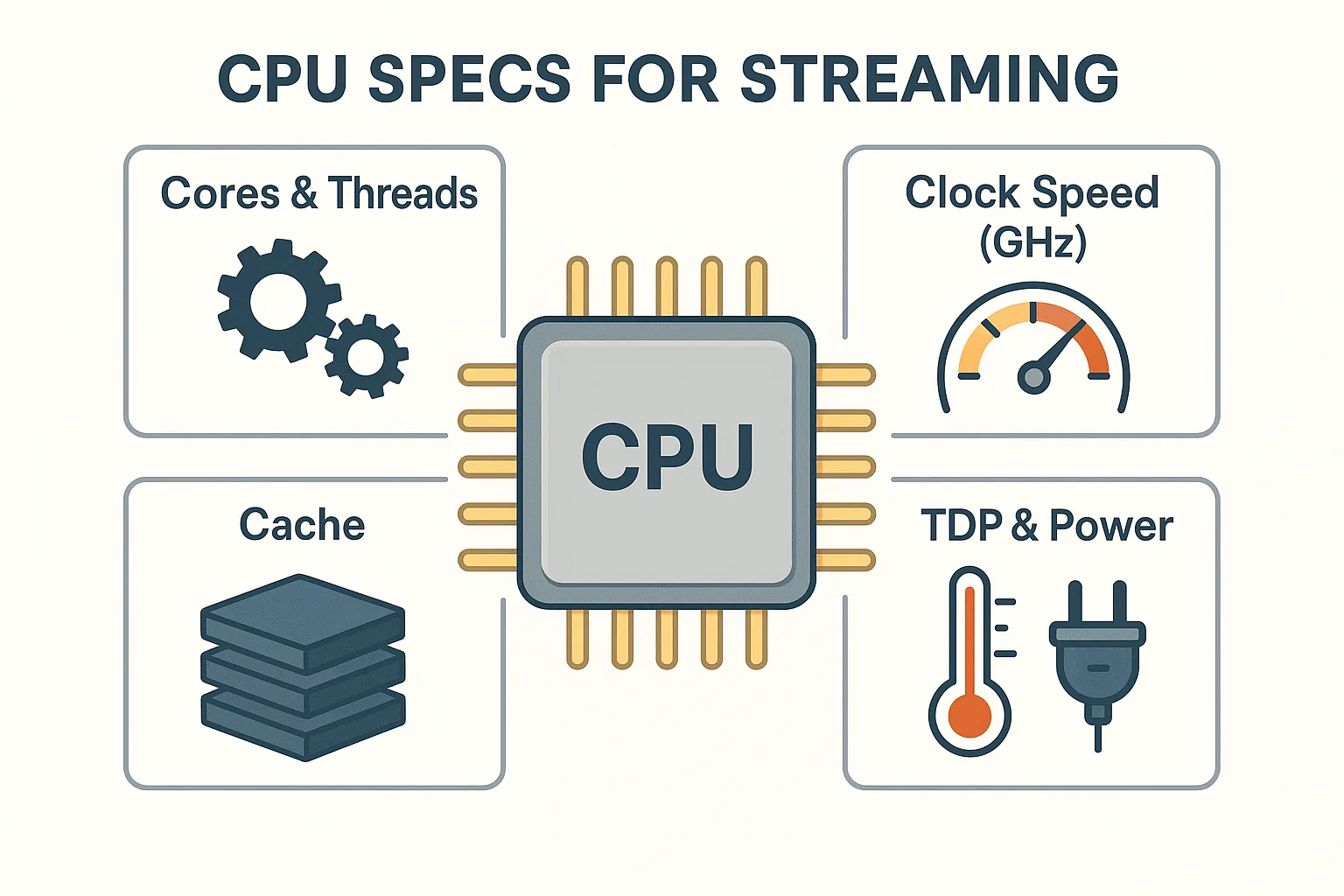
Alright, let’s talk specs without the headache. When you’re evaluating the best CPU for gaming and streaming, you’ll see terms like cores, threads, and clock speed thrown around. Here’s what they actually mean for your stream:
Cores & Threads: Your Streaming Crew
Think of CPU cores as individual workers. More workers mean you can handle more tasks simultaneously without everything slowing down. For streaming while gaming, you need a capable crew.
-
6 Cores (Hexa-Core): The solid foundation. Enough for gaming and streaming at 1080p, but the crew might be stressed during heavy multitasking.
-
8+ Cores (Octa-Core+): The sweet spot. This gives you dedicated “workers” for the game, the video encoding (x264 or AV1), your audio, and all those browser tabs, leading to a smoother, more stable stream.
Clock Speed (GHz): How Fast Your Crew Works
This is how quickly each “worker” can complete a task. A higher clock speed (measured in GHz) is crucial for games, which often rely on one or two cores to run quickly. Look for a high “Boost Clock” speed—that’s the CPU’s top speed for demanding moments. A balance of good core count and high clock speed is the secret sauce.
The Secret Weapon: Cache
This is your CPU’s own ultra-fast memo pad. A larger cache (especially the L3 cache) lets the CPU keep frequently used game and encoding data right at hand. This drastically reduces delays, preventing hitches and frame drops in your game and stream. It’s a spec that’s easy to overlook but has a huge impact on smoothness.
TDP: The Heat & Power Reality Check
Thermal Design Power (TDP), measured in watts, tells you how much heat the CPU generates. A higher TDP usually means more potential performance but also demands a better CPU cooler and a robust power supply. For 24/7 streamers, a more efficient CPU (lower TDP) can mean a quieter setup and lower electricity bills.
Understanding these four elements—not in isolation, but as a team working for your stream—is the first step to making a confident, informed choice. For a deeper dive into each specification and how they interact, check out our detailed guide on how to choose a processor.
Understanding core count, clock speed, cache, and TDP – the four key specs that matter most for streaming.
The Gaming and Streaming Encoding Showdown: x264 vs Hardware vs AI
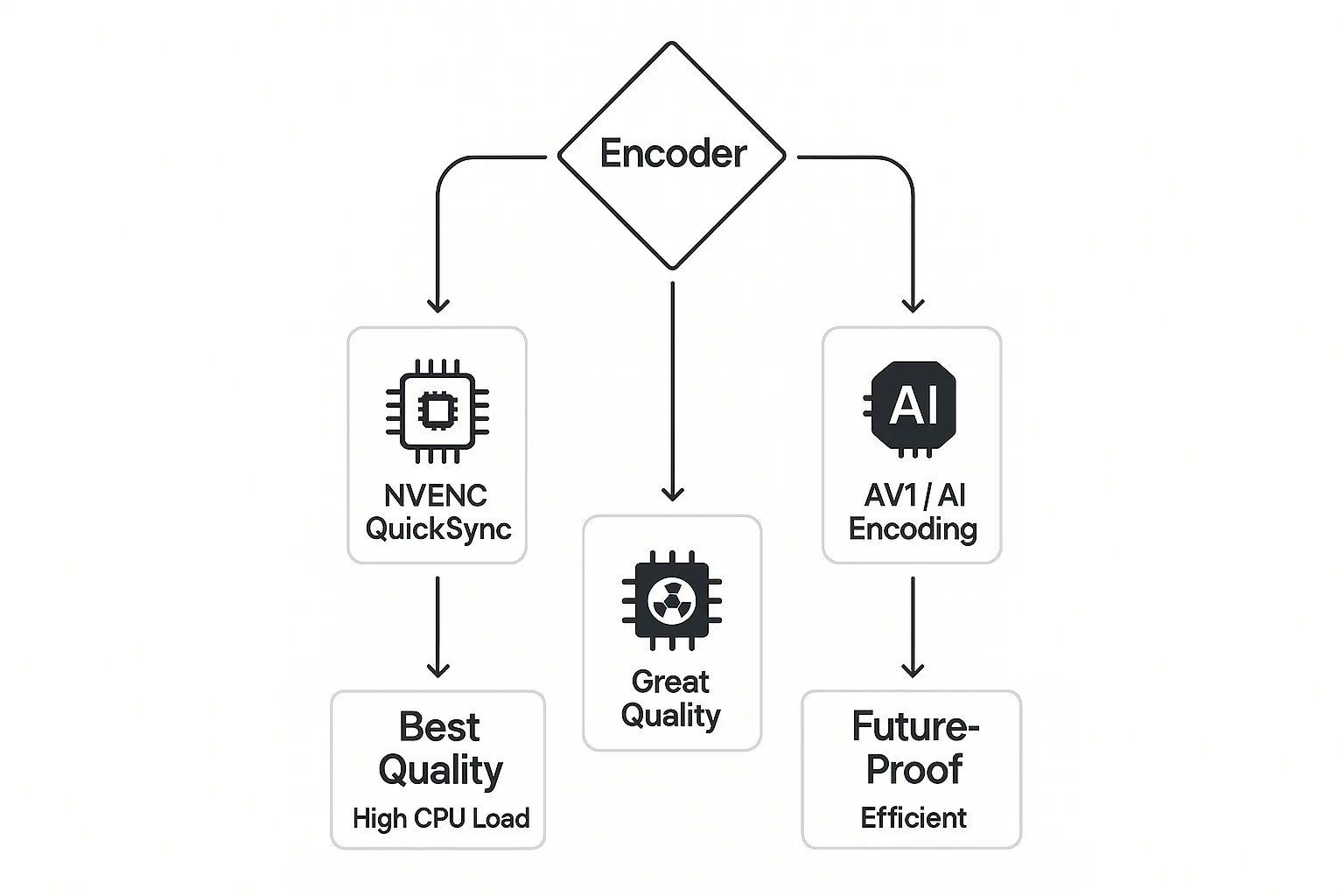
This is where the magic—and the biggest CPU load—happens: encoding. Encoding is the process of compressing your raw gameplay video into a signal that can be sent to Twitch or YouTube. The method you choose has a massive impact on which CPU for gaming and streaming is right for you.
1. x264 (CPU Encoding): The Quality Choice
This uses your processor’s cores to handle encoding. It typically offers the best image quality at a given bitrate, especially for fast-motion games, but it’s a CPU-intensive workload. If you want the sharpest stream quality and choose this path, you’ll need a CPU with strong multi-core performance (8+ cores is highly recommended).
2. NVENC/QuickSync (Hardware Encoding): The Performance Saver
Modern GPUs (from NVIDIA and Intel) have dedicated encoder chips that handle this task independently. This is a game-changer. Using NVENC or QuickSync massively reduces the load on your CPU, freeing it up to focus on the game. The quality is now excellent, making this the go-to choice for most gaming and streaming setups, especially with budget CPUs.
3. The New Frontier: AI & AV1 Encoding
The future is here. Newer CPUs feature AI engines (NPUs) and support for AV1 encoding, a more efficient codec. AI-enhanced streaming can handle tasks like superior noise removal or automatic framing. AV1 encoding provides better quality at lower bitrates. If you want to future-proof your stream, considering a CPU with these capabilities is a smart move.
The Verdict: For most streamers starting today, leveraging hardware encoding (NVENC/QuickSync) is the most practical path, as it balances quality and performance beautifully. This knowledge frees you from feeling you must buy the most expensive CPU for a great stream. Remember, your encoding choice also depends on whether you’re team red or blue. See how Intel vs AMD handle encoding differently in our brand comparison.
Best CPU for Gaming and Streaming 2025: Top Picks by Tier
Now for the moment you’ve been waiting for: which processor should you actually buy? Forget the overwhelming number of options. Based on 2025’s landscape, real-world streaming loads, and value, here are your champions across four critical budget tiers.
Important Note: These recommendations assume you’ll use GPU hardware encoding (NVENC/QuickSync) for the best performance balance, unless you’re a professional pursuing the absolute highest x264 quality.
Tier 1: The Elite Gaming and Streaming Foundation ($500+)
For: Professional streamers, competitive gamers, and those building a “no-compromises” primary income setup.
-
Top Pick: AMD Ryzen 9 9950X. This is the ultimate workhorse for streaming and content creation. Its massive 16-core/32-thread design handles gameplay, high-bitrate encoding, and every background task with power to spare. It’s your best bet for future-proofing and multi-tasking dominance on the AM5 platform.
-
Alternate Choice: Intel Core i9-14900K. If your primary games heavily favor raw single-core performance and you want the absolute peak gaming FPS while still having ample cores for streaming, Intel’s flagship is a monster. Be prepared to invest in serious cooling.
Tier 2: The Sweet Spot for Gaming and Streaming ($300 – $500)
For: Dedicated streamers who want excellent performance without the flagship price. This is the best value zone for gaming and streaming.
-
Top Pick: AMD Ryzen 7 9700X. The expected champion of the mid-range. With 8 powerful “Zen 5” cores, it will offer the perfect blend of high gaming clock speeds and strong multi-threaded muscle for streaming and multitasking on the long-lived AM5 platform.
-
Great Alternative: Intel Core i7-14700K. Its hybrid architecture (8 P-cores + 12 E-cores) is uniquely brilliant for streaming. The Performance-cores crush the game, while the Efficient-cores seamlessly manage encoding and background apps. A fantastic all-rounder.
Still debating between the red and blue teams? Our ultimate comparison breaks down Intel vs AMD in detail, helping you decide which brand philosophy matches your streaming style.
Tier 3: The Smart Starter CPU for Streaming ($200 – $300)
For: New streamers building their first dedicated PC or upgraders on a strict budget who still demand great performance.
-
Top Pick: AMD Ryzen 5 8600G. Don’t overlook this chip. Its integrated RDNA graphics are irrelevant for streamers with a GPU, but its CPU cores are strong, efficient, and it provides the cheapest entry to the future-proof AM5 platform.
-
Value King: Intel Core i5-14600K. Offers superb gaming performance and, thanks to its mix of P-cores and E-cores, surprising strength in handling streaming workloads. It’s the most performance you can get in this price bracket.
Tier 4: The Budget Gaming and Streaming CPU (<$200)
For: Those testing the streaming waters or building a very budget-conscious rig. Manage expectations, but know you can start here.
-
Only Pick: AMD Ryzen 5 5600 (on AM4). On the previous-gen AM4 platform, this 6-core veteran remains an incredible value. Paired with an NVIDIA GPU for NVENC encoding, it can deliver a solid 1080p streaming experience. This is the definition of a budget CPU for streaming.
The Bottom Line: There has never been a better time to be a streamer looking for a CPU. Whether you have $200 or $800, there’s a powerful, capable chip waiting to be the brain of your broadcast.
Building Your Gaming and Streaming PC: Beyond the CPU
Choosing the best CPU for gaming and streaming is crucial, but it’s only one piece of the puzzle. To unlock its full potential and ensure a stable, professional stream, you need to build the right ecosystem around it. Ignoring these components is where many streamers hit unexpected bottlenecks.
The Motherboard: Your Command Center
Don’t cheap out here. A good motherboard ensures your CPU gets clean, stable power, especially during long streaming marathons. Look for models with robust VRMs (Voltage Regulator Modules) and good cooling on the chipset. Also, check for ample USB ports for your mic, camera, and peripherals.
Cooling: Keeping Your Cool On Air
A high-performance CPU generates heat. For streaming, where loads are sustained for hours, adequate cooling is non-negotiable. A CPU cooler that’s too weak will cause thermal throttling (your CPU slowing down to protect itself), leading to frame drops and stutters. A quality dual-tower air cooler or a 240mm AIO liquid cooler is a wise investment for mid-to-high-tier chips.
RAM: Don’t Just “Get 32GB”
While 32GB is the recommended sweet spot for gaming and streaming, speed matters too. Faster RAM (like DDR5-6000 for modern platforms) improves the CPU’s data access, boosting overall smoothness and minimum FPS—key for a fluid stream. Ensure your RAM is on your motherboard’s compatibility list.
The Power Supply (PSU): The Silent Guardian
A weak or poor-quality PSU is the most common cause of mysterious crashes. Your system needs clean, stable power, especially when the CPU and GPU are under full load. Invest in a reliable, 80+ Gold-rated unit from a reputable brand with enough wattage headroom (a 750W-850W PSU is a safe choice for most streaming builds).
The Takeaway: Pairing your powerful new streaming CPU with thoughtful, quality components is what transforms a collection of parts into a reliable, broadcast-ready production studio. It’s the difference between a setup that works and one that excels.
The True Cost of Gaming and Streaming: Hidden Expenses Revealed
Let’s talk about something most CPU buying guides gloss over: the true, long-term cost of your streaming setup. The price tag on the processor is just the beginning. Being smart about the bigger picture can save you money, hassle, and even improve your stream’s quality.
1. The Electricity Bill: The Silent Budget Killer
That elite 16-core CPU might be a performance monster, but if you’re streaming 40 hours a week, its higher power consumption adds up. One of AMD’s often-overlooked advantages is its superior power efficiency. A more efficient CPU, like a Ryzen 7 or 9, can shave meaningful dollars off your monthly bill over a year of marathon streams, and it generates less heat. Less heat means your air conditioner doesn’t have to work as hard in the summer—another hidden saving.
2. The Noise Floor: Your Microphone’s Worst Enemy
Here’s a pro-streamer secret: your CPU cooler and case fans are part of your audio setup. A loud, whiny cooler fighting a hot CPU creates a higher “noise floor” that your premium microphone will pick up. This forces you to use more aggressive noise suppression, which can make your voice sound robotic. Choosing an efficient CPU and a high-quality, quiet cooler isn’t just about temperatures—it’s about audio clarity for your stream.
3. Future-Proofing Your Gaming and Streaming PC
This is where platform choice becomes a financial decision. AMD’s AM5 platform promises support for new CPUs through 2027 and beyond. Buying into AM5 today might mean you can upgrade to a Ryzen 11 in 2026 by just swapping the CPU. Intel’s platforms historically have shorter lifespans. An upgrade in 2-3 years could mean a new motherboard and RAM as well—effectively a whole new PC. Investing in a platform with longevity can be cheaper in the long run. Platform longevity is a key factor in the great brand debate. Learn more about Intel vs AMD platform differences and their upgrade paths.
The Smart Streamer’s Mindset: Think of your PC as a business investment. Factor in not just the upfront cost, but the ongoing operational costs (power) and the future cost of upgrades. Sometimes, spending a little more upfront on the right platform and an efficient CPU saves you a lot more down the line.
FAQs: Best CPU for Gaming and Streaming
Q1: How many CPU cores do I really need for gaming and streaming?
You need a balance. For smooth gaming and streaming at 1080p, 6 cores is the minimum we recommend. For streaming at 1440p or maintaining high FPS in demanding games, 8+ cores is ideal. More cores help distribute the workload: some handle the game, others manage encoding, audio processing, and background apps like chat and alerts. Think of cores as your streaming crew – you need enough workers for all the simultaneous tasks.
Q2: Is Intel or AMD better for gaming and streaming in 2025?
There’s no single “better” brand – it depends on your specific needs. AMD Ryzen 7000/9000 series often excels in multi-core performance and power efficiency, making them fantastic for streaming while gaming with lots of background tasks. Intel Core 14th Gen/Ultra often has a slight edge in pure single-core gaming FPS. The “best” choice comes down to your budget, specific games, and whether you value maximum frame rates or efficient multitasking.
Q3: Can I use a budget CPU for streaming, or do I need to spend $500+?
Absolutely! A budget CPU for streaming like the AMD Ryzen 5 8600G or Intel Core i5-14600 can deliver an excellent streaming experience when paired correctly. The secret is using your graphics card’s hardware encoder (NVENC for NVIDIA, QuickSync for Intel). This offloads the heavy video encoding work from the CPU, allowing even mid-range processors to handle gaming and streaming smoothly at 1080p.
Q4: What is more important for streaming: CPU cores or clock speed?
You need both, but their importance shifts. Clock speed (GHz) is crucial for the game itself, as many games rely on fast single-core performance. Core count becomes critical for handling the streaming workload (encoding, audio, chat) simultaneously. For streaming and gaming, look for a CPU that offers a good balance: high boost clocks for gaming and enough cores (8+) to manage the broadcast without choking.
Q5: Do I need to buy a separate CPU cooler for streaming?
In most cases, yes. While many CPUs include a basic “stock” cooler, streaming puts your processor under sustained, heavy load for hours. A stock cooler may lead to thermal throttling (performance drops) and louder fan noise, which your microphone can pick up. Investing in a quality air or liquid CPU cooler ensures stable performance during long streams and contributes to a quieter, more professional broadcast environment.
Q6: Where can I learn more about choosing processors and comparing brands?
Great question! We have two essential guides that complement this one. Start with our foundation article on how to choose a processor, which covers all the basics. Then, dive deep into the brand battle with our detailed comparison of Intel vs AMD. Together, these three articles give you everything you need to make the perfect choice for your gaming and streaming setup.
Your Gaming and Streaming CPU Decision: Final Checklist
You’re now armed with more specific, streamer-focused knowledge than 99% of CPU buying guides out there. Let’s distill it all into a simple action plan to make your final decision with confidence.
Your Pre-Purchase Checklist:
-
I’ve identified my primary “Streamer Persona” (Competitive, Variety, Just Chatting, Pro)
-
I understand that for my needs, hardware encoding (NVENC/QuickSync) is recommended to maximize performance, unless I’m a professional seeking the pinnacle of x264 quality
-
My budget includes the total platform cost: CPU + a compatible motherboard + adequate cooling + a reliable power supply
-
I’ve checked that my chosen CPU won’t be massively bottlenecked by my GPU (or vice versa). A balanced build is key
-
I’ve considered long-term value: I’ve weighed the upgrade path (like AMD’s AM5) against pure upfront performance
-
I’ve read the essential comparisons: I’ve checked our guide on how to choose a processor and the brand showdown on Intel vs AMD
Your Path Forward:
-
Lock in Your Tier: Based on your budget and persona, re-examine the champions in our recommendations. Which tier feels right?
-
Build Out the System: Use the ecosystem advice provided. Pick a matching motherboard, a CPU cooler rated for its TDP, and a reliable power supply. PCPartPicker.com is an invaluable, free tool for this.
-
Pull the Trigger with Confidence: You’re not just buying a random component from a list. You’re selecting the optimized central brain for your unique gaming and streaming workflow. You’ve done the research others skip.
-
Optimize and Go Live: Once built, remember our encoding advice. Set your streaming software (OBS, Streamlabs) to use your GPU’s hardware encoder. Then, focus on what matters most—creating great content and connecting with your community.
Final Thought: The best CPU for streaming isn’t the one with the highest number on a benchmark chart. It’s the one that disappears into the background, working reliably and efficiently so that you can be the star of the show. You’ve got this.





Leave a Comment
Your email address will not be published. Required fields are marked *
No Comments Yet
Be the first to share your thoughts!